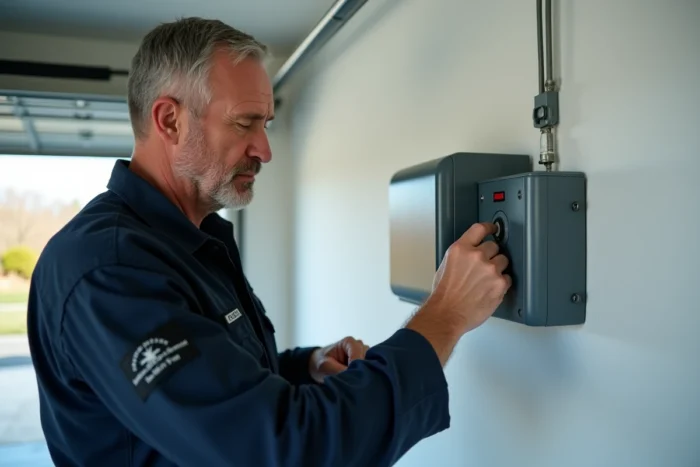
The Hormann SupraMatic E2 uses an electronic board whose reset logic differs significantly from that of later series. Confusing the procedures between the E2 version and Series 3 remains the primary cause of failure during a reset, as the management of limit switches and connected accessories (photo cells, external contacts) has been revised by Hormann in subsequent generations.
Distinction between E2 reset and Series 3 reprogramming
The board of the SupraMatic E2 stores limit switch positions, remote control codes, and force parameters in separate registers. A complete reset erases all of these registers. In Series 3, the programming logic further separates the layers: safety accessories have their own learning cycle, independent of the motor cycle.
Applying a Series 3 procedure on an E2 generally causes a blocking of the limit switch learning, as the E2 firmware expects a different validation sequence. We recommend checking the exact reference on the label attached to the motor block (mentioning “SupraMatic E series 2” or code TR10A041) before any manipulation.
For those looking to reset the Hormann SupraMatic E2 motor after a remote control change or a prolonged power outage, the sequence described below applies exclusively to this version.
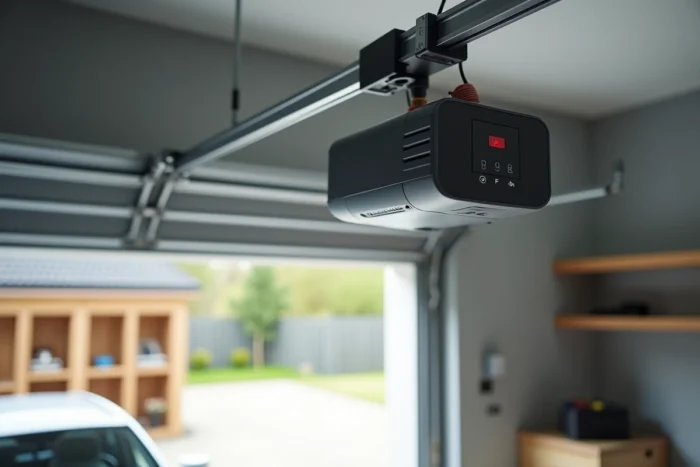
Complete reset procedure for the SupraMatic E2
The reset is done through the control panel integrated into the motor block, accessible once the cover is removed. The segmented display and the two navigation buttons constitute the only interface.
Accessing the reset menu
Unplug the power supply for about ten seconds, then plug it back in. Simultaneously hold down both buttons on the control panel until the display blinks. This blinking confirms entry into programming mode.
In the menus, the current settings are indicated by a light point on the display. Navigate to the factory reset sub-menu (often indicated by a blinking dash). Confirm with a long press. The display resets to zero once the reset is effective.
Re-learning limit switch positions
After the reset, the motor no longer knows the high and low positions of the door. Start a learning cycle by briefly pressing the validation button. The door descends slowly until it meets the ground, then rises to the high position. This complete cycle must be done without interruption.
- If the door stops during descent, check that the guide rail has no obstacles and that the trolley slides freely.
- If the display shows an error code (typically “F” followed by a number), the force sensor has detected abnormal resistance: check the balance of the springs.
- If the cycle ends but the door does not open completely, the memorized high position is offset. Restart a second learning cycle.
Re-associating Hormann remote controls after reset
A factory reset erases all stored transmitters. Each remote control must be re-registered individually. On the E2, the procedure uses the receiver integrated into the board.
Switch the control panel to radio learning mode (press the dedicated button, indicated by an antenna symbol or a specific segment on the display). Then press the button of the remote control to be associated. The display confirms the registration with a brief blink.
Repeat the operation for each transmitter. The E2 receiver accepts multiple transmitters, but we observe that beyond ten registered remote controls, latencies appear in reception. Limit the number of active transmitters to the strict minimum.

Force control and safety compliance after reset
Any reprogramming of the SupraMatic E2 requires a force control check. The requirements for crush protection and obstacle detection have been strengthened, and a reset restores the force thresholds to default values, which may not necessarily correspond to the actual weight of your door.
Adjusting force thresholds
Access the force adjustment sub-menu via the control panel. Two parameters are adjustable: closing force and opening force. We recommend starting with the lowest value and gradually increasing it until smooth operation without jolts is achieved.
A simple test involves placing a soft obstacle (a rigid cardboard, for example) in the path of the door during closing. The motor should reverse its course upon contact. If the door crushes the obstacle before reversing, the threshold is too high.
Checking safety accessories
If photo cells or an external safety contact are connected to the E2 terminal, their operation must be revalidated after the reset. In this version, the safety inputs are continuously monitored by the board: a disconnected cable or a faulty sensor blocks any motor command and displays an error code.
- Photo cells: pass your hand through the beam during a closing cycle. The door should stop or reverse immediately.
- Wired safety contact: manually open the contact and check that the motor refuses to start.
- Wall push button: test a complete open-close cycle from the button to confirm that the signal is correctly transmitted to the receiver.
The SupraMatic E2 remains a robust motorization whose reset procedure is well documented, provided it is not confused with that of newer versions. After each reset, force control and safety device checks are not optional: these are the two steps that guarantee compliant and risk-free operation.