
You’re in a meeting, your phone vibrates every thirty seconds, and you’re torn between Airplane mode and Do Not Disturb. Both options are just a tap away in the Android Quick Settings panel, but they affect very different parts of your phone.
Airplane mode turns off your smartphone’s radios, while Do Not Disturb filters what appears on screen. Confusing the two could mean missing a work call—or, conversely, letting a notification through in the middle of the night.
What Airplane mode actually disables on Android
Turning on Airplane mode doesn’t turn off your phone. With a single tap, it disables mobile service, Wi-Fi, and Bluetooth. Your smartphone can no longer make or receive regular calls, text messages, or cellular data.
One thing many people don’t realize: on Android, you can turn Wi-Fi and Bluetooth back on individually after enabling Airplane mode. The system even remembers your choice. If you turned Wi-Fi back on the last time you used Airplane mode, it will turn back on automatically the next time.
In practice, the airplane icon in the status bar doesn’t guarantee that all wireless connections are off. To make sure your phone is truly offline, check the Wi-Fi and Bluetooth status after switching to Airplane mode. This detail matters when you’re trying to compare Airplane mode with Do Not Disturb on your device.
Another direct consequence: instant messaging apps (WhatsApp, Signal, Telegram) won’t receive anything until Wi-Fi is turned back on. Scheduled alarms, however, will still go off as usual.

Do Not Disturb on Android: a filter, not a disconnect
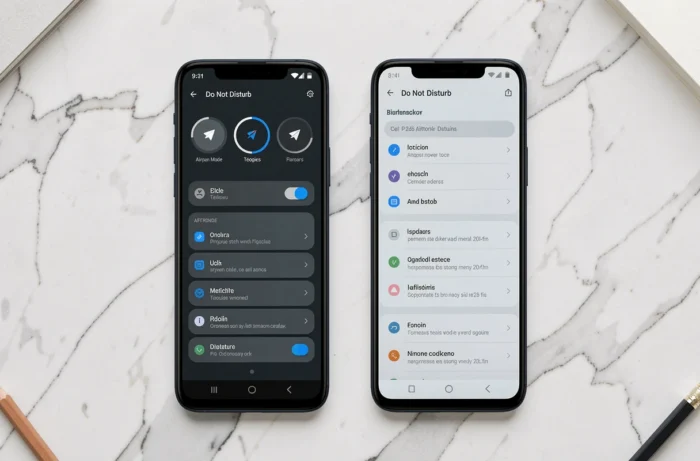
Do Not Disturb works on the opposite principle. All connections stay active: mobile service, Wi-Fi, Bluetooth, and cellular data. Your phone continues to receive calls, messages, and notifications. The difference is what gets your attention.
When this mode is on, ringtones, vibrations, and visual alerts are suppressed according to the rules you set. Android offers several levels of filtering:
- Total silence: no sound or visual notifications, including calls
- Priority only: only favorite contacts, repeat callers, or calendar reminders get through
- Alarms only: everything is blocked except scheduled alarms
On recent Pixel phones, Android can also automatically tone down repeated alerts without even turning on Do Not Disturb, using Adaptive Notifications settings. Airplane mode doesn’t offer this level of control: it acts as a master switch for your phone’s radios.
Wi-Fi calling and messaging: the gray area between the two modes
The distinction between Airplane mode and Do Not Disturb gets blurry when Wi-Fi calling comes into play. If your carrier and phone support Wi-Fi calling, a call can still come through in Airplane mode, as long as you manually turn Wi-Fi back on.
This is common in buildings with weak mobile coverage but a good Wi-Fi connection. You turn on Airplane mode to save battery (your phone stops searching for a cellular signal), turn Wi-Fi back on, and calls go through the local network. Messages sent through messaging apps also arrive as usual.
In this setup, Airplane mode alone is no longer enough to guarantee silence. You need to combine the two: Airplane mode to turn off mobile service, and Do Not Disturb to block interruptions coming over Wi-Fi. Few users think to enable both, but it’s the only way to achieve complete silence without turning off your phone.
Which mode to choose for everyday situations
The choice depends on what you want to block: the connections themselves or the interruptions they generate.
While you sleep
Do Not Disturb with the “alarms only” option is the best fit. Your alarm goes off, messages arrive silently, and you can catch up on them in the morning. Airplane mode would prevent messages from coming through until you turn it off, which could be a problem if you’re waiting for an alert.
In a meeting or at the movies
Do Not Disturb in “priority” mode lets calls through from a contact you’ve marked as a favorite (your partner, your child’s daycare, or a key client) while blocking everything else. The people who matter can still reach you.
On a plane or in an area with no coverage
Airplane mode is still useful in two specific situations: complying with in-flight regulations, or saving battery when your phone keeps searching for a network that isn’t there. This constant search for a signal uses a noticeable amount of power.
To focus on a task
If you need internet access (for research or online documents) without interruptions, Do Not Disturb is the only sensible choice. Airplane mode would cut off access to the online resources you need.
Comparison table: Airplane mode vs. Do Not Disturb on Android
| Feature | Airplane mode | Do Not Disturb |
|---|---|---|
| Mobile service | Off | On |
| Wi-Fi | Off (can be turned back on) | On |
| Bluetooth | Off (can be turned back on) | On |
| Receiving calls | No (except Wi-Fi calls) | Yes (filtered) |
| Receiving notifications | No (unless Wi-Fi is on) | Yes (silenced) |
| Alarms | Work as usual | Work as usual |
| Battery savings | Significant | Negligible |
These two modes aren’t interchangeable; each serves a different purpose. Airplane mode affects your phone’s hardware connectivity, while Do Not Disturb affects the software layer that handles notifications. Combining them is the only way to cut off both connections and any remaining interruptions without turning off your Android smartphone.